Run your shop
without the spreadsheets
Make bills at your counter and take orders from customers nearby. One stock list keeps both correct, and your GST bills are ready as you sell.
- GST-ready invoicing
- Counter and online, one stock
- UPI, cards and cash
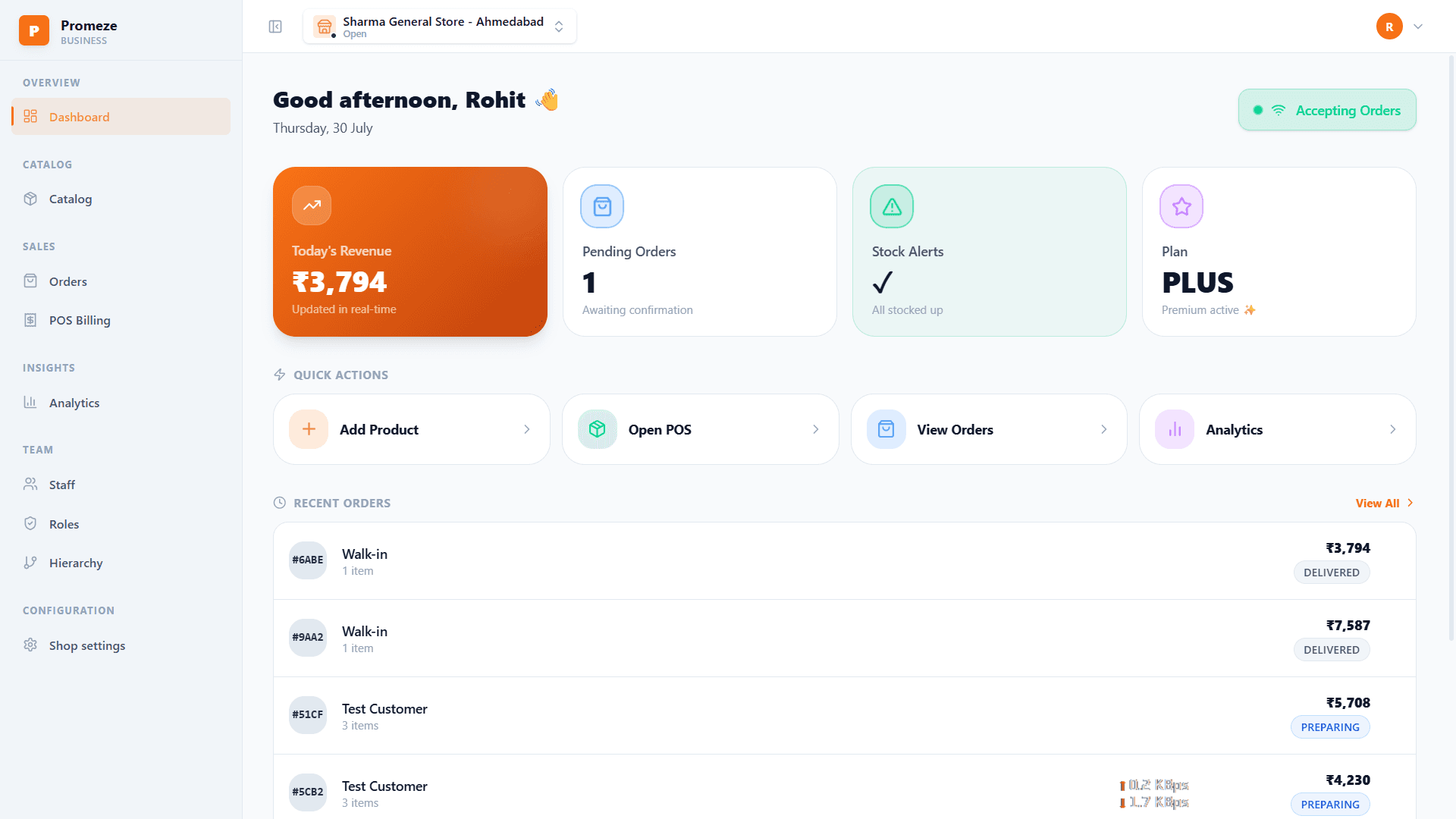
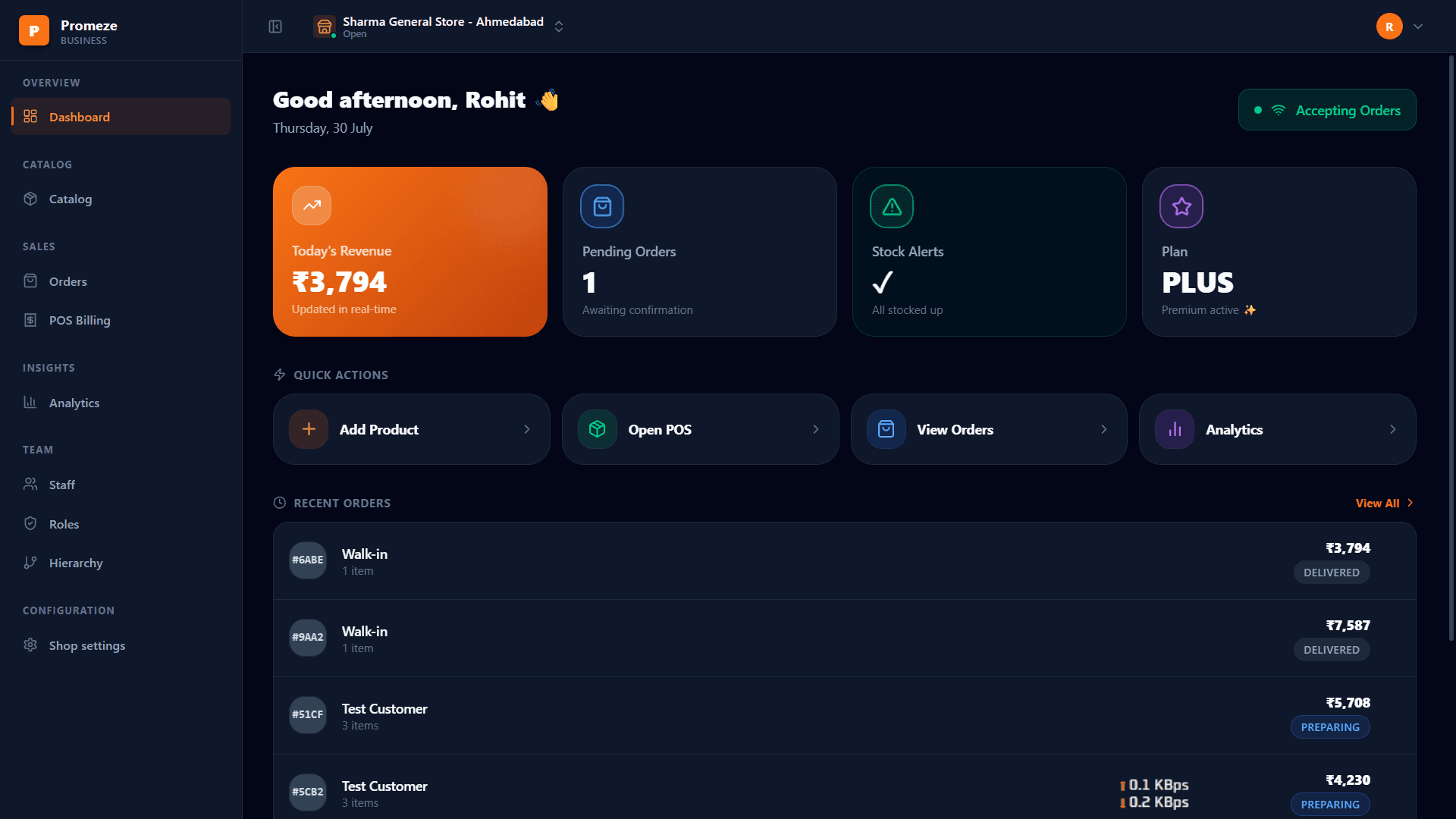
Everything the shop runs on
The screens you will actually use every day.
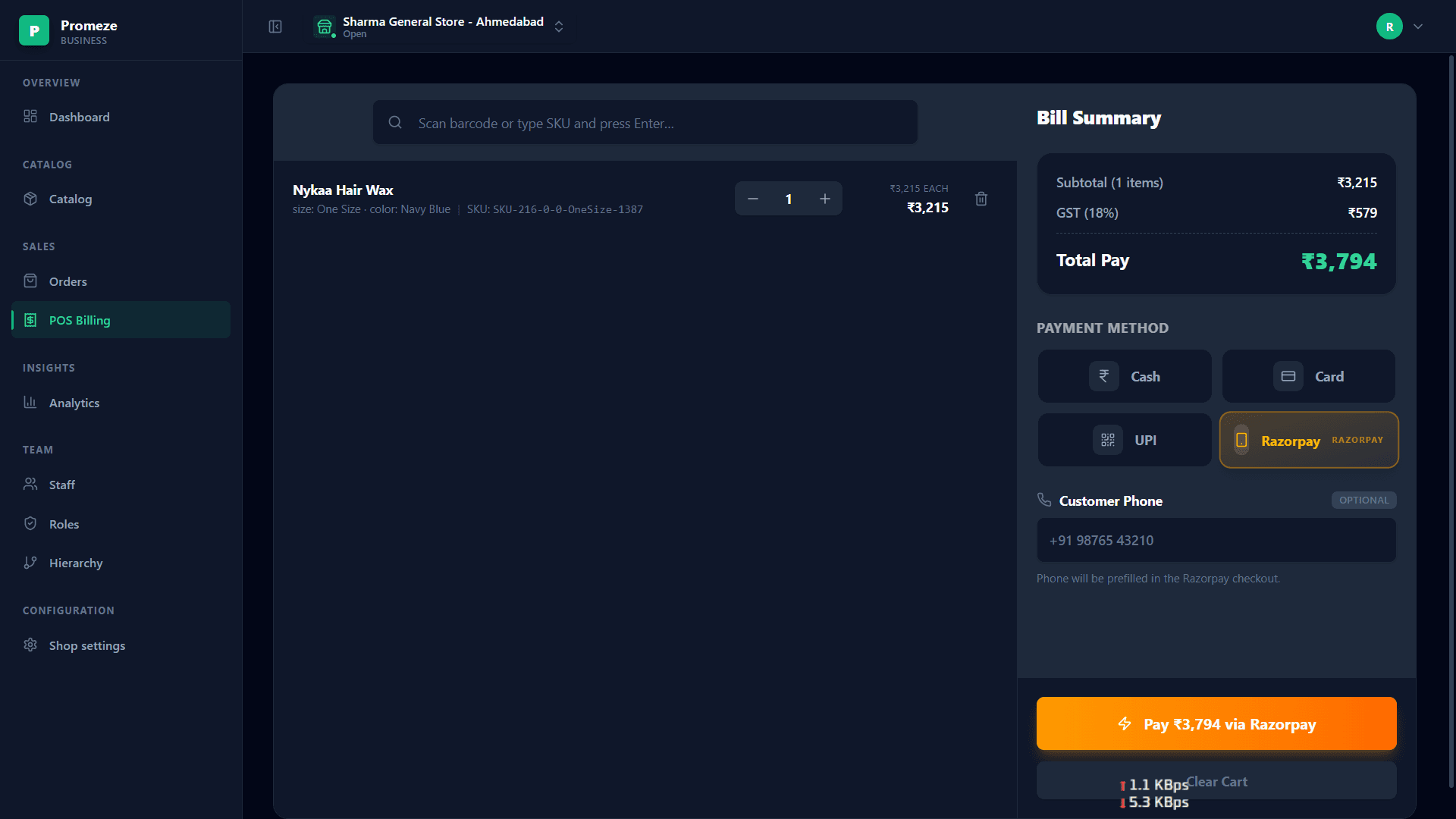
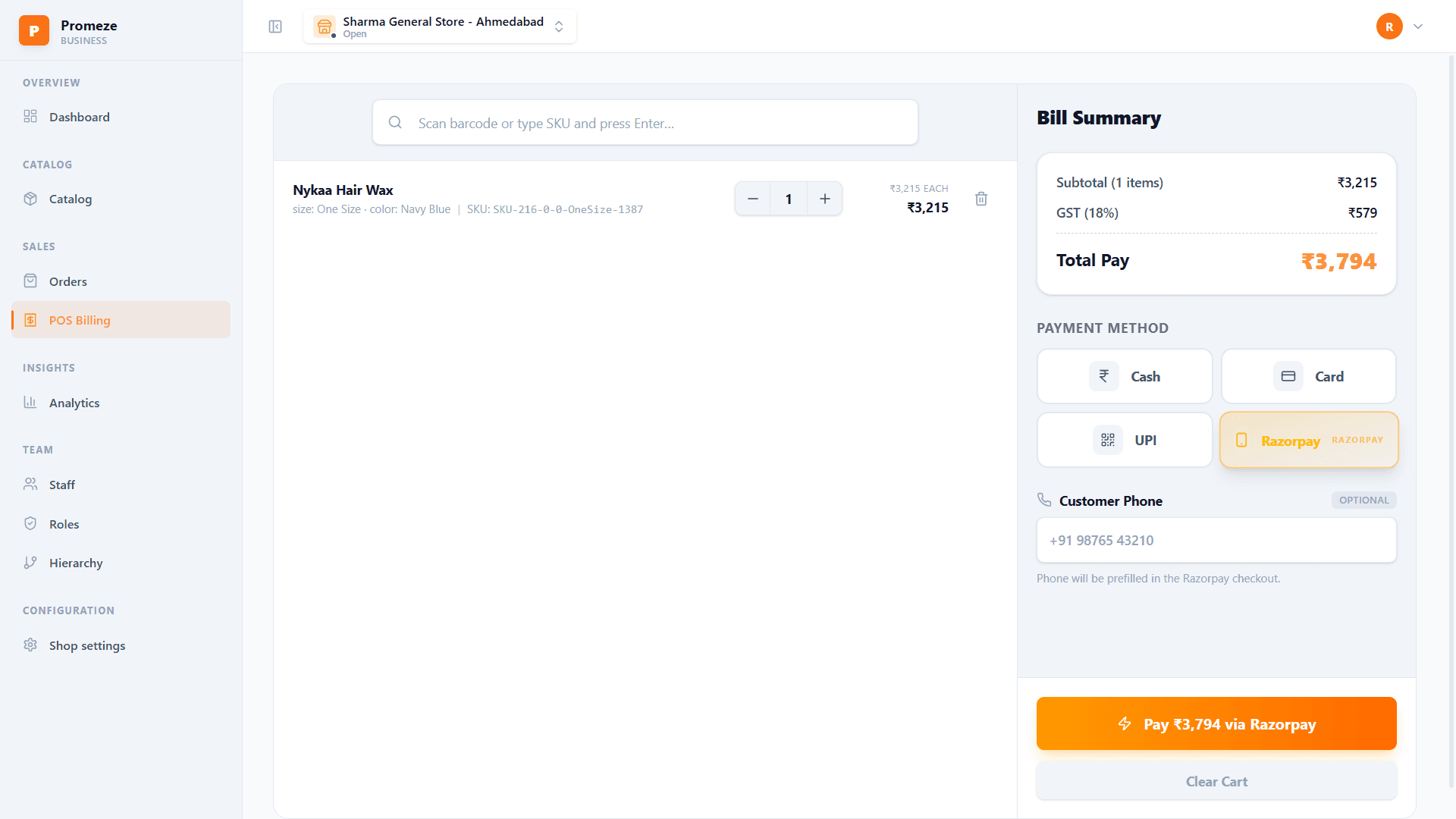
Bill a customer in seconds
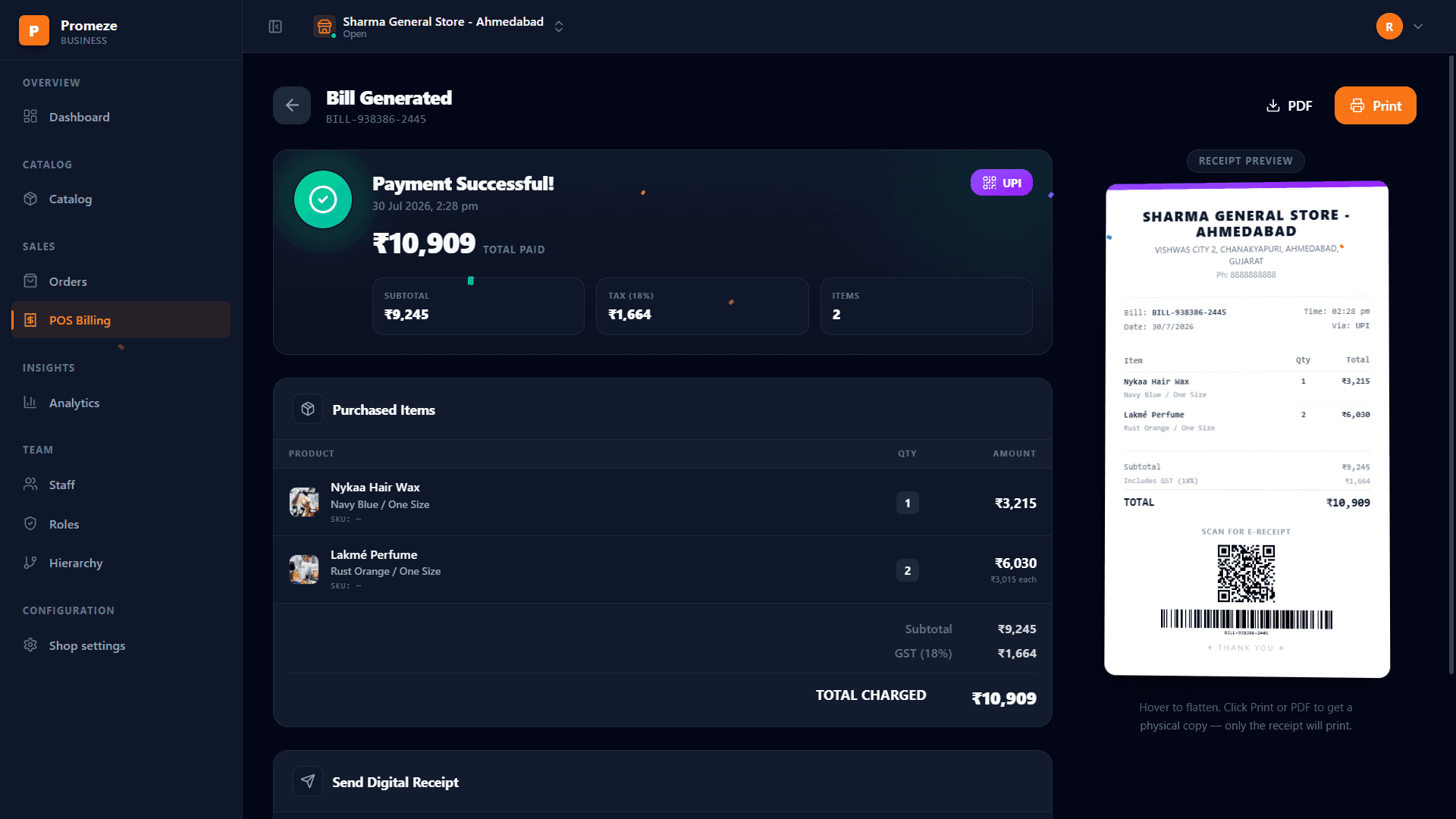
Scan the barcode or type the item code and press Enter. GST is added for you, and the customer pays the way they like.
- Take cash, card, UPI or a Razorpay link
- GST worked out on every item
- Send the bill to their WhatsApp before they leave
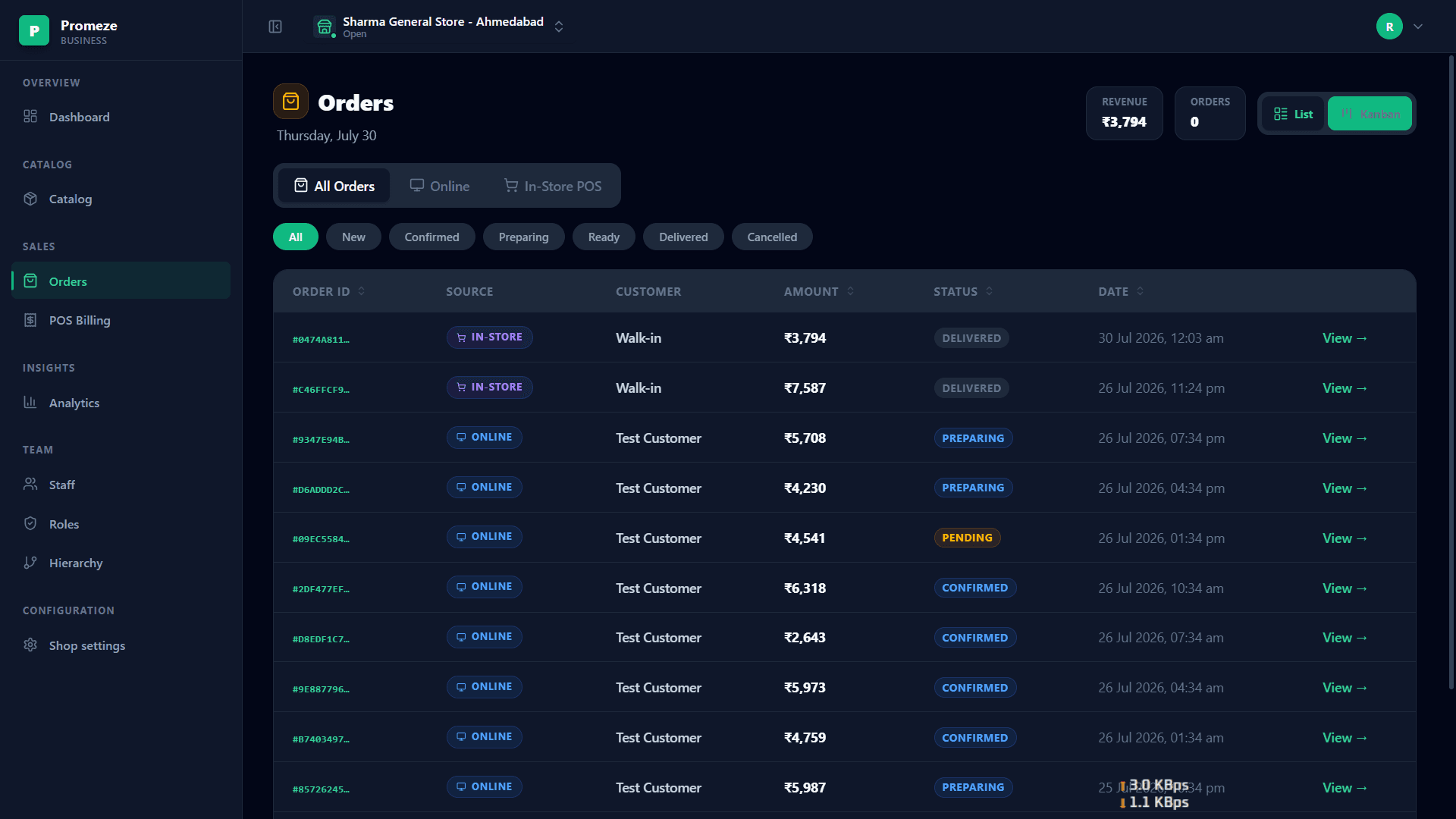
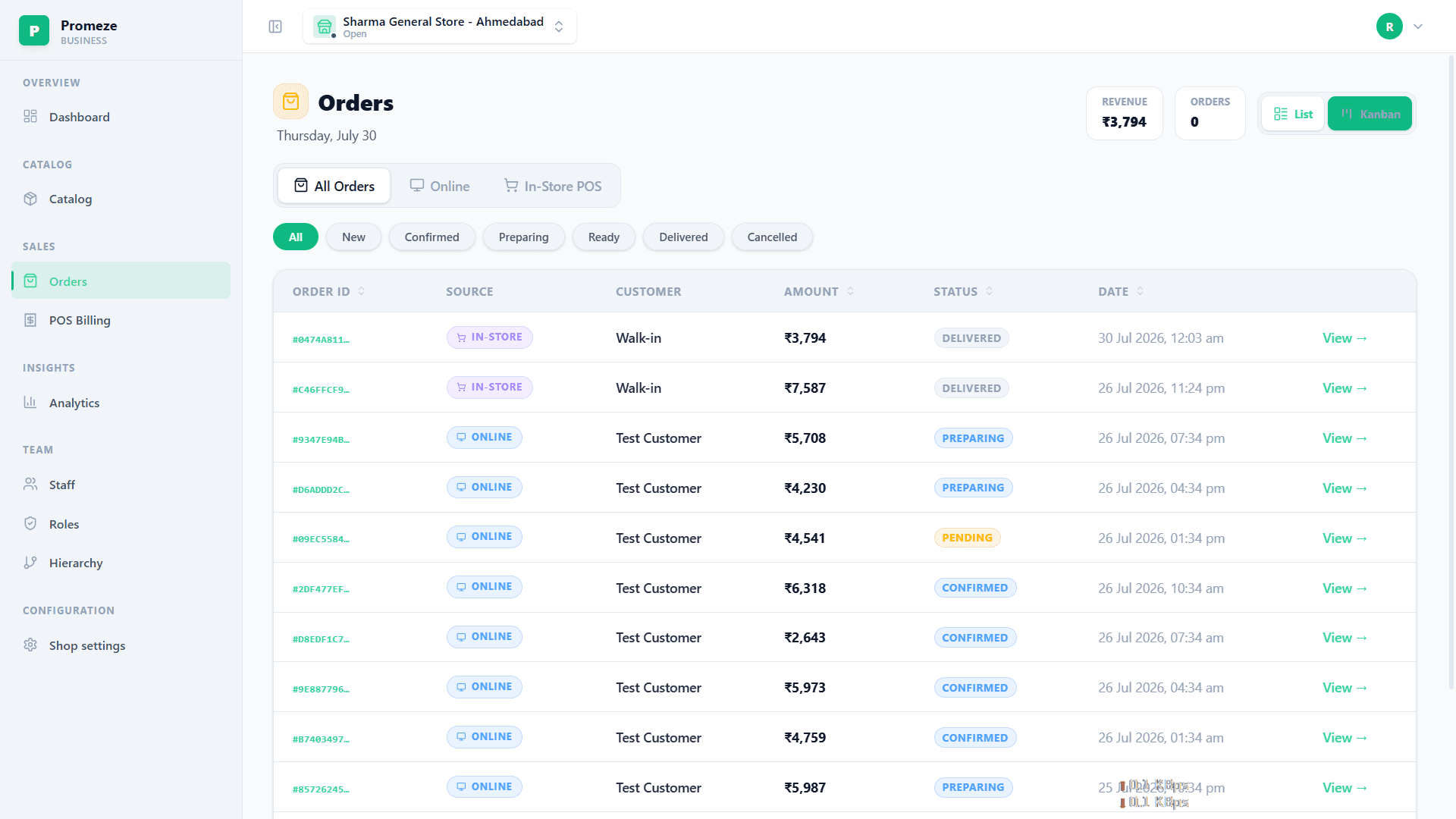
Customers nearby order from you
People in your area find your shop on Promeze and order from it. Those orders come here, and you move each one along as you pack it.
- Confirm, prepare, ready, delivered in one tap each
- Stock is held as soon as an order comes in
- Cancel an order and the stock goes back
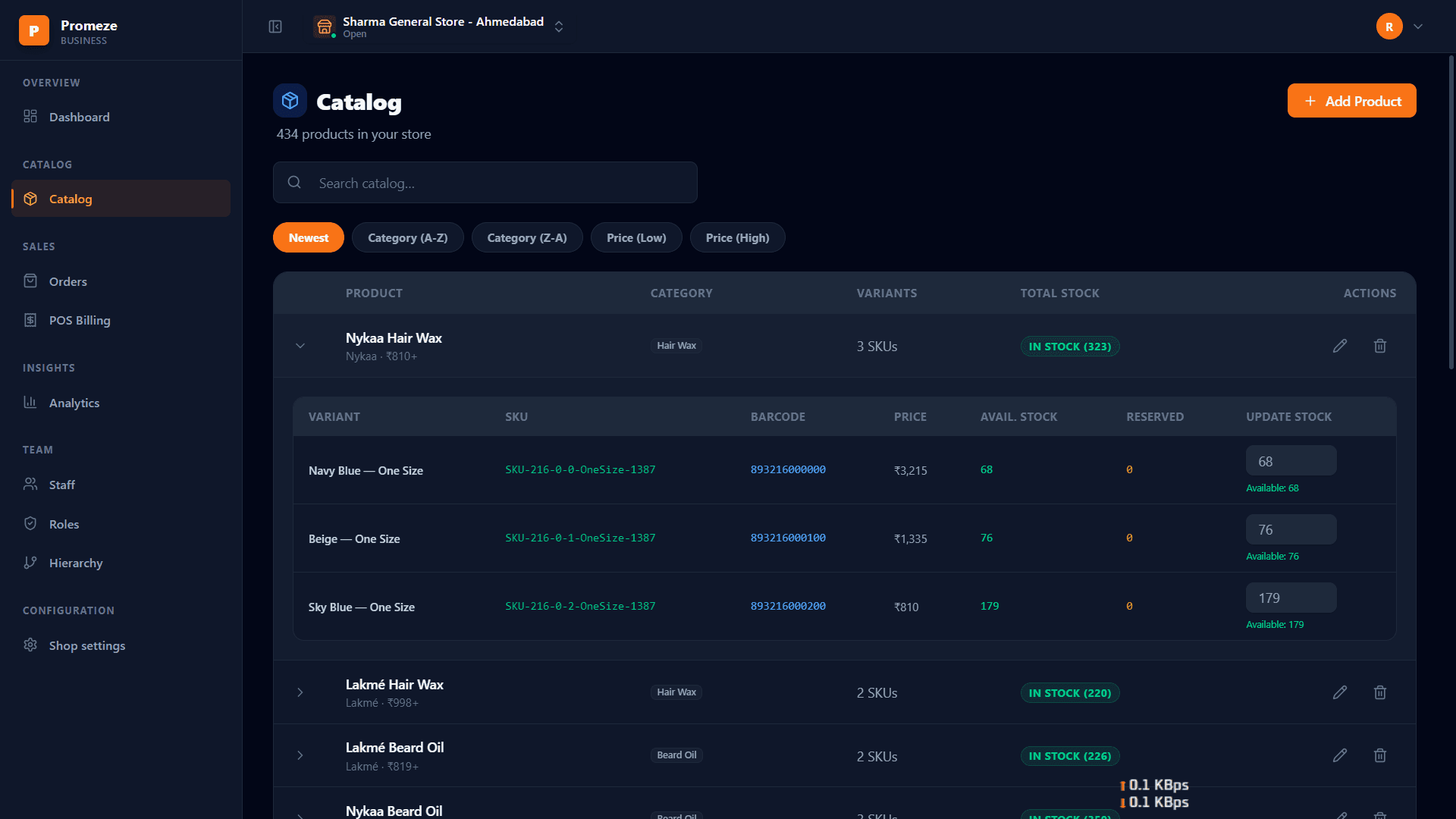
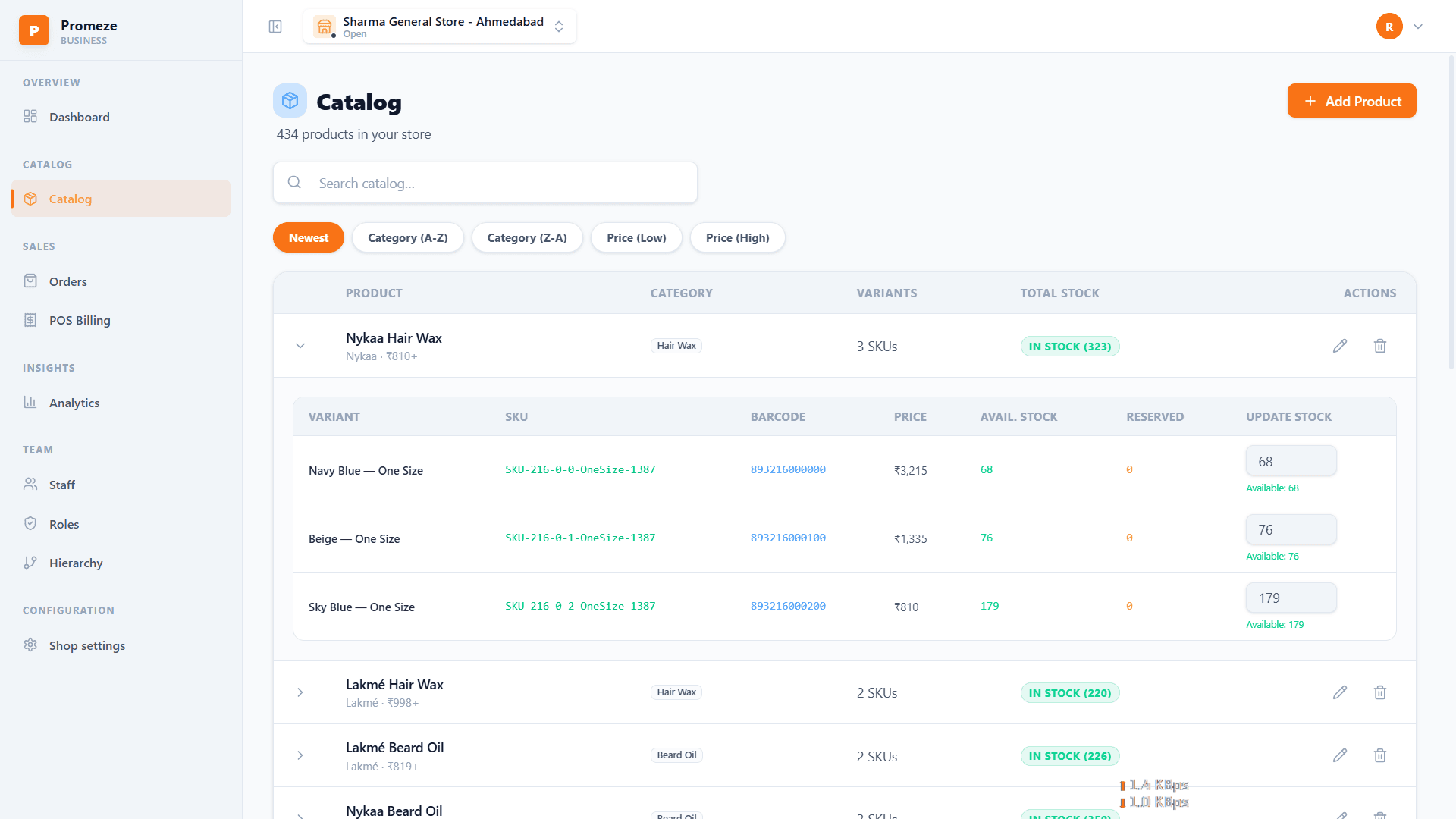
One product list, one stock count
Keep sizes, colours and prices in one place. A counter sale and an online order take from the same stock, so what you see matches what is on the shelf.
- Each size and colour has its own price and stock
- Get told when an item is running low
- Change stock right in the list
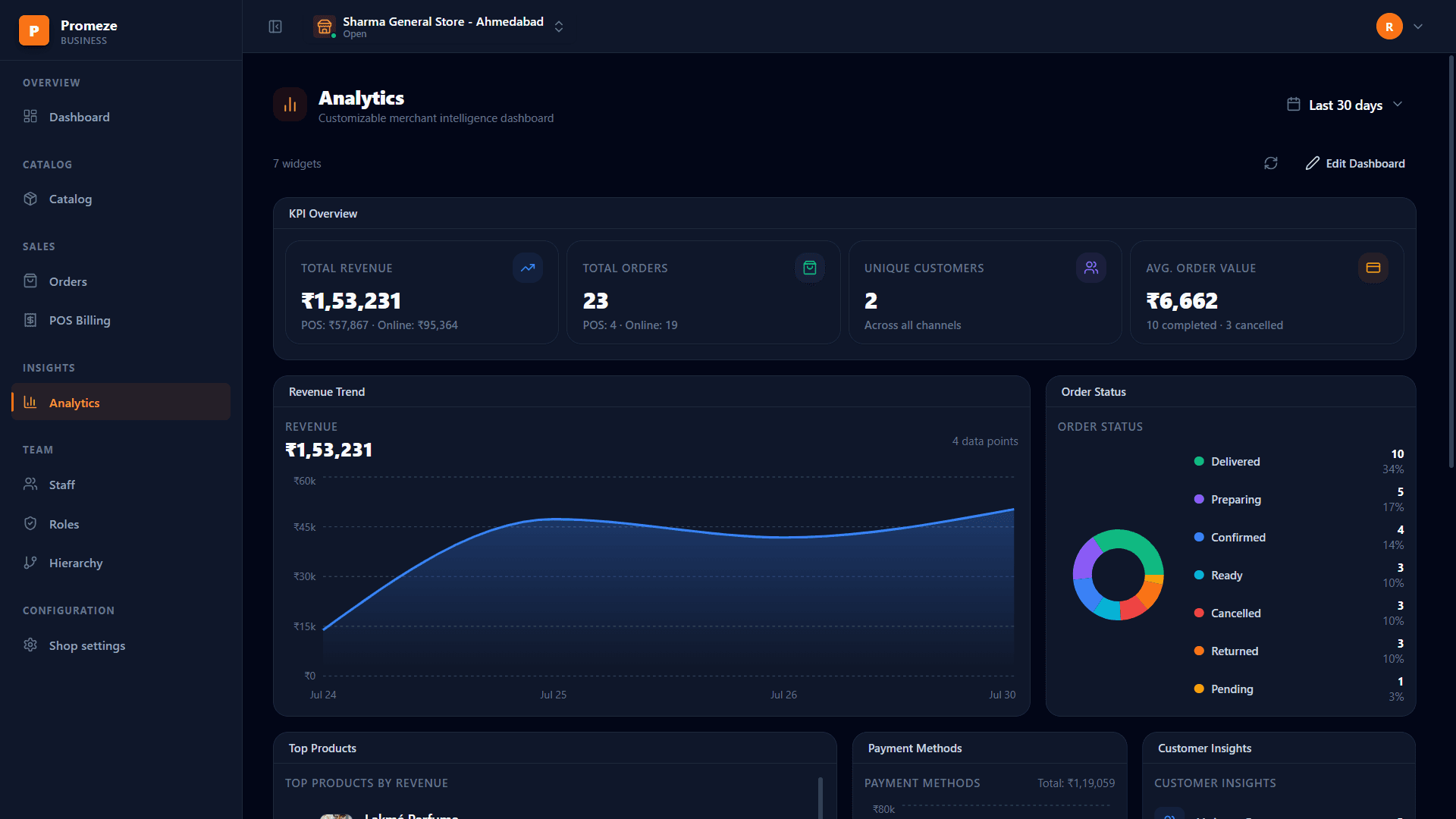
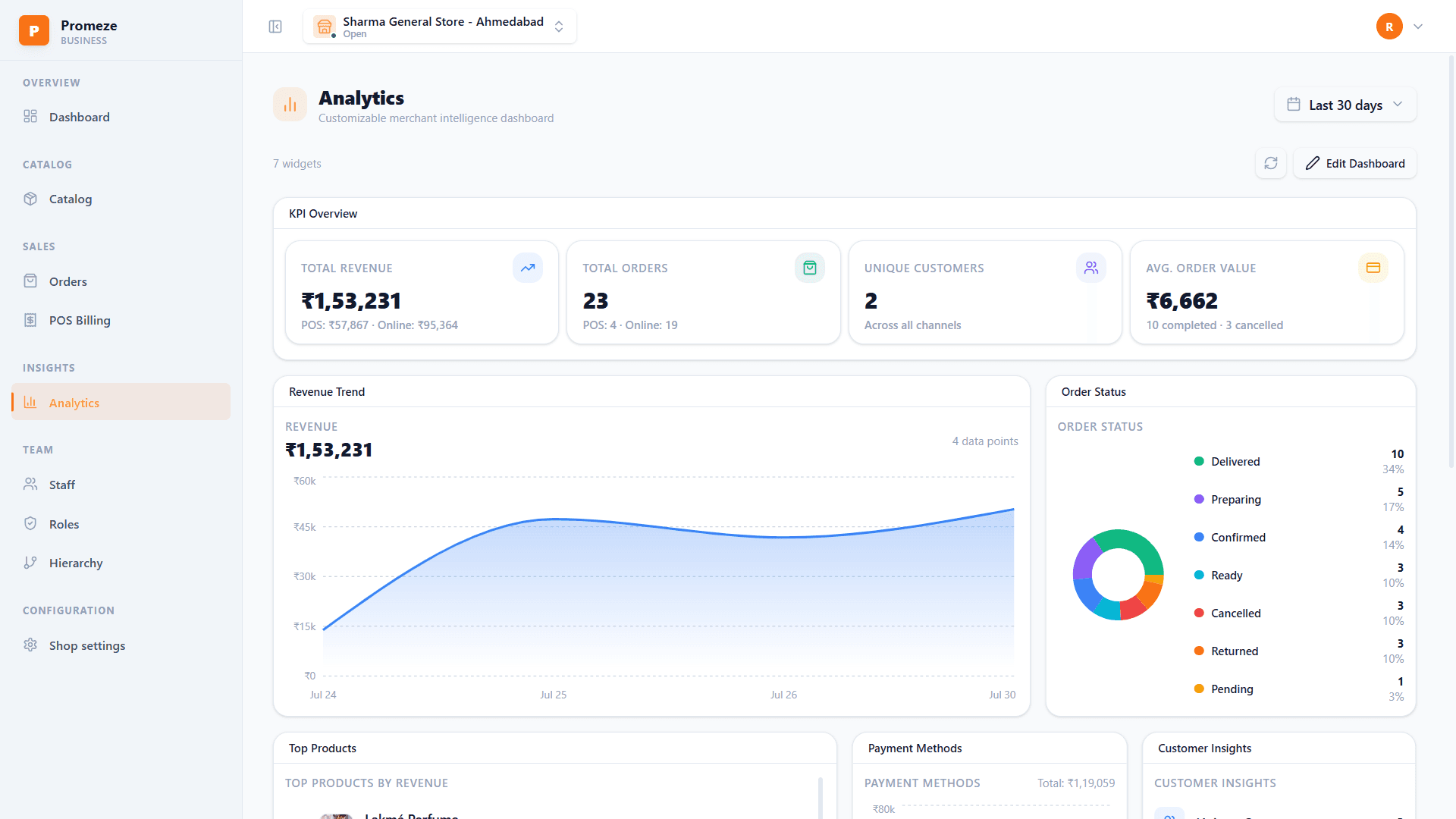
See what is really selling
How much you sold at the counter and online, which items do well, how people pay, and which hours are busiest. All in your own time zone.
- Sales from both the counter and online
- Your best items, and the ones sitting still
- Move the boxes around to suit you
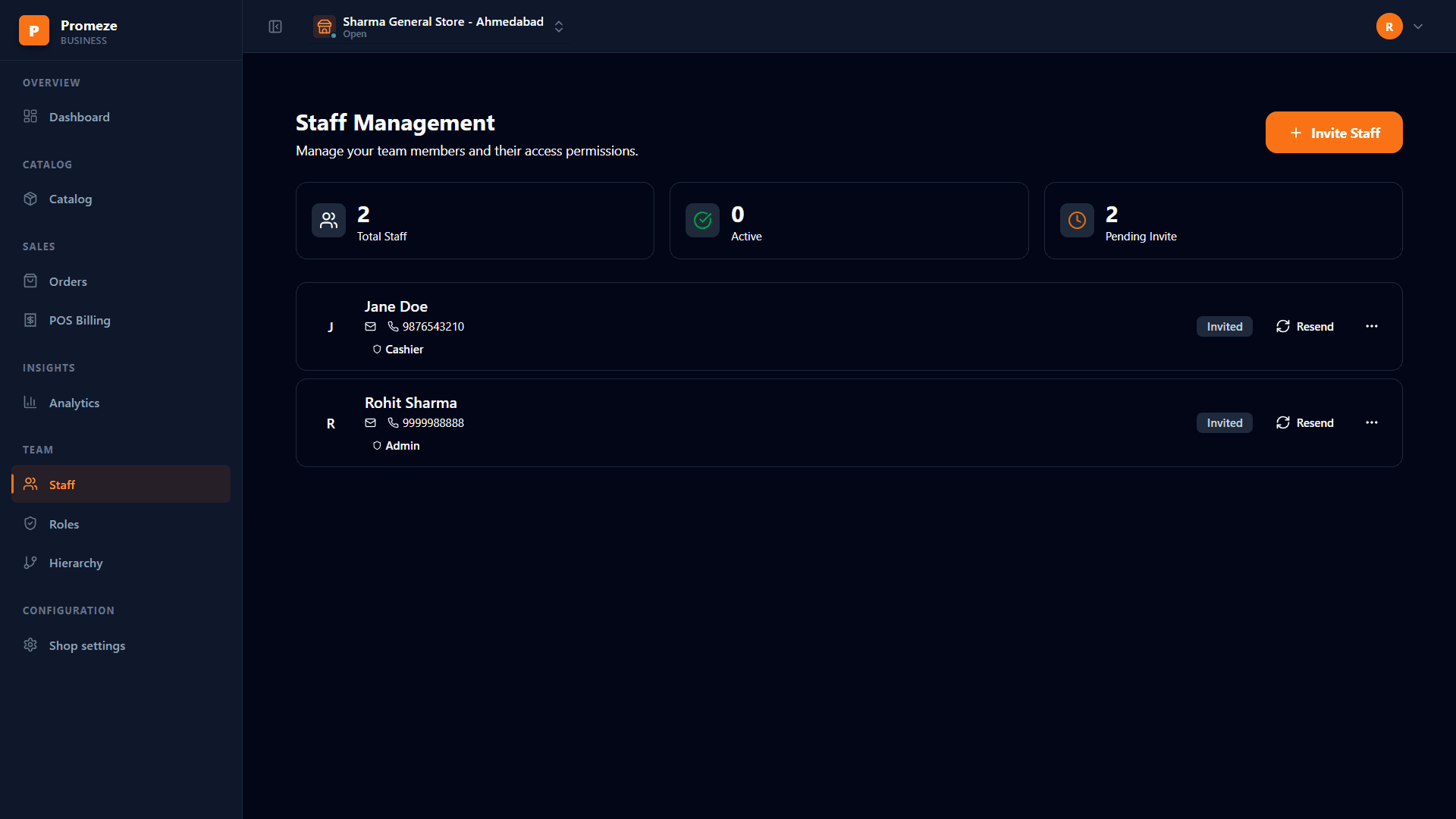
Give your staff only what they need
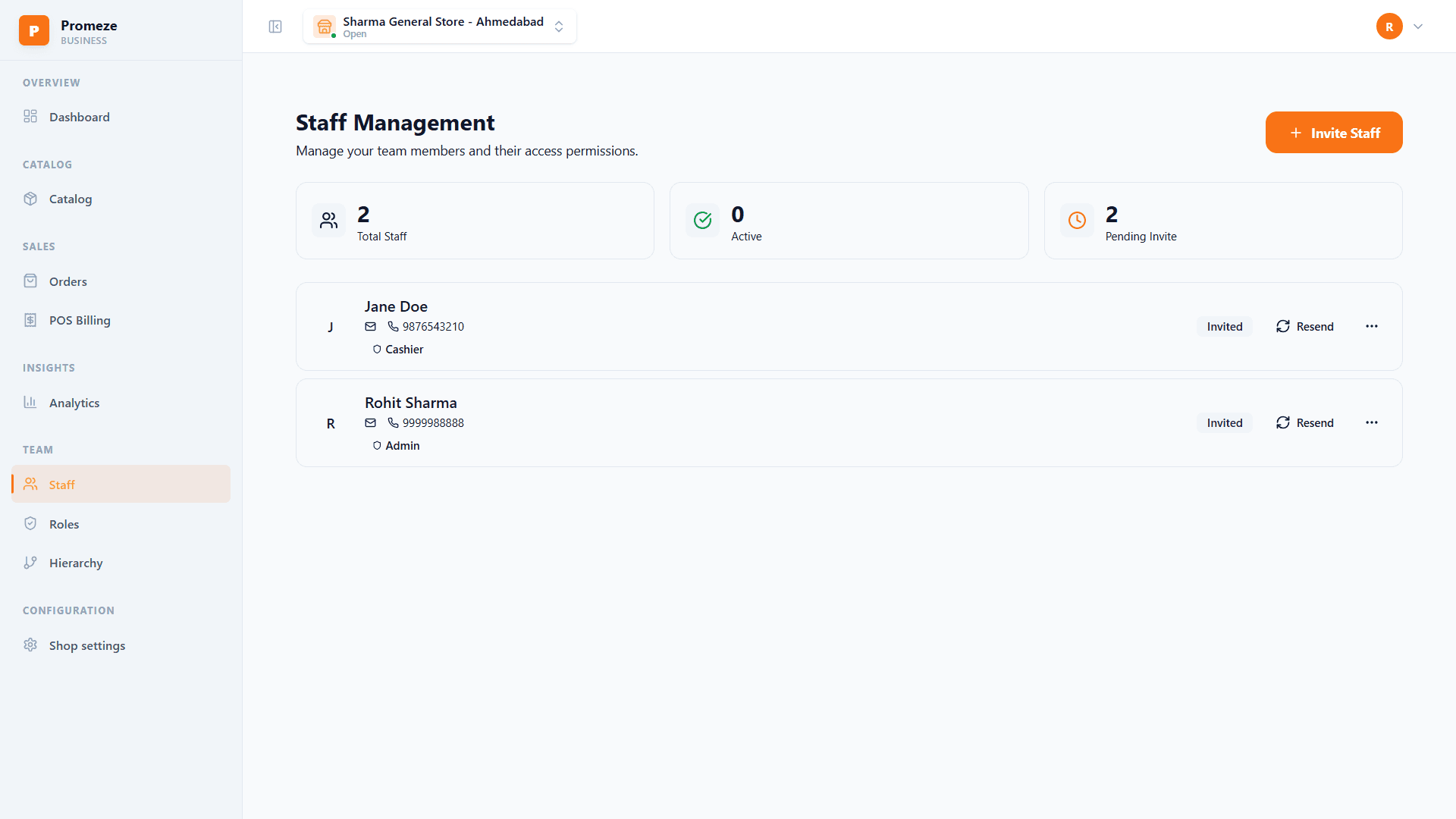
Add your team using their phone number. A cashier can make bills but not change prices. A manager can do both. You choose, for each person.
- Set up roles the way your shop works
- Staff sign in with an OTP or a PIN
- Take away access the day someone leaves
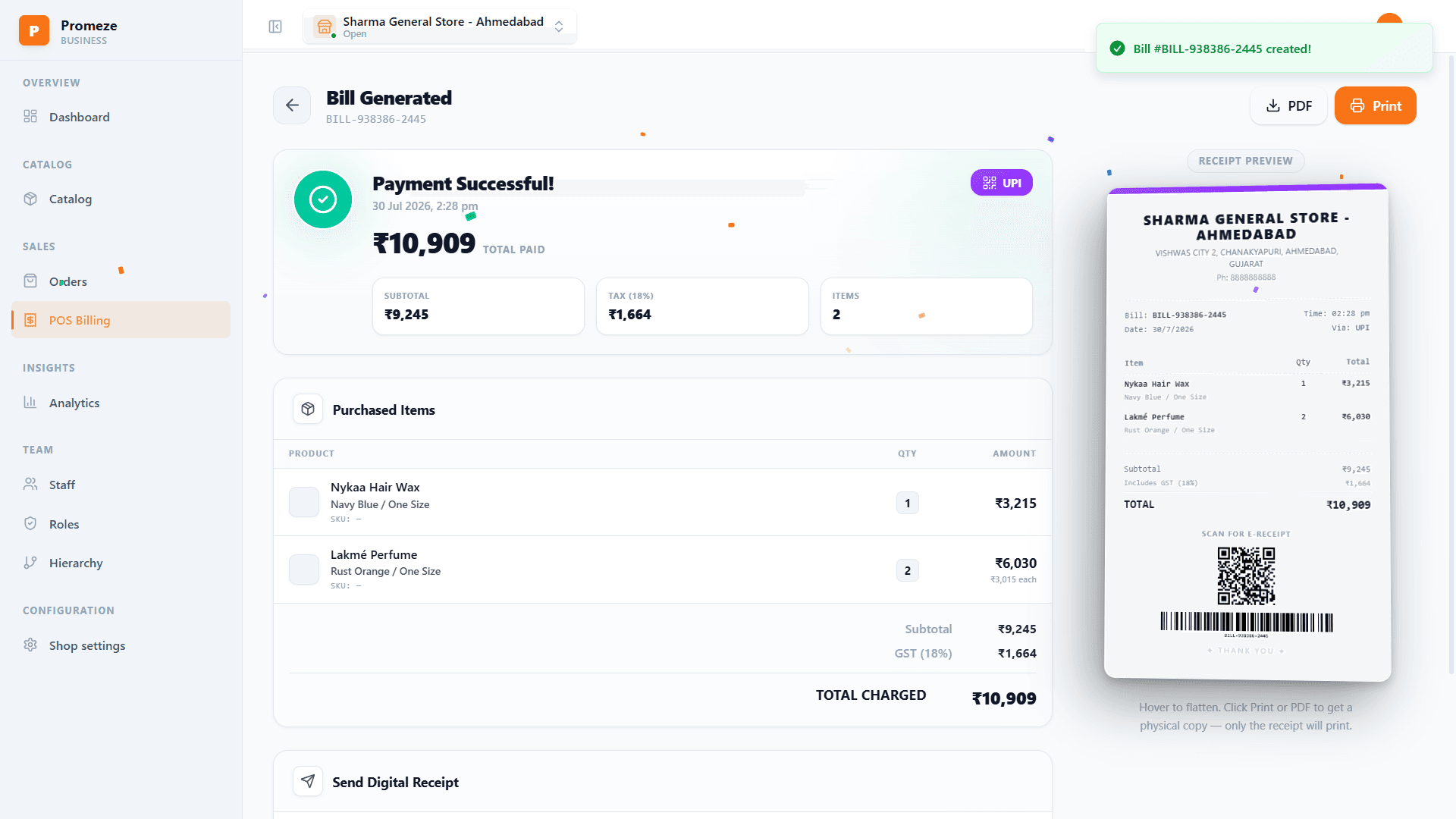
Your GST bills are ready
Every sale makes a proper GST bill with the right CGST and SGST, or IGST for another state. Bill numbers run in order through the year.
- Right tax split for your state and outside it
- Numbers in order, the way your CA wants them
- Download any bill as a PDF
Things you stop worrying about
Every shop under one login
Run several shops from one account. Switch between them from the top bar. Each one keeps its own products, staff, stock and sales.
Found by people nearby
People searching in your area see your shop, your open hours and what you have in stock.
Stock that stays correct
Counter sales and online orders use the same stock. Nothing to match up at the end of the day.
Money reaches your bank
Add your bank account once and your money comes to it. We keep only the payment company’s reference, never your account number.
A team you can organise
Set roles and who reports to whom, so a supervisor sees their own people and nobody opens the whole business by mistake.
Receipts on WhatsApp
Send the bill to the customer’s phone while they pay. No printer and no paper needed.
Warned before you run out
Your dashboard tells you when an item is running low, so you can order more while some is still left.
Your hours, your timezone
Set open hours for each shop. Every day’s total ends at your midnight, not some server’s.
Pay how they like
Cash, card, UPI or a Razorpay link. Every one of them shows up in the same day’s total.
GST done as you sell
Check your PAN once and we bring in your GST numbers for you. Bills are then numbered in order through the financial year.
Live in about five minutes
You can stop halfway and start again from the same place.
Step 1
Verify your PAN
We bring in the GST numbers linked to it, so you do not have to type them.
Step 2
Choose your shops
Pick which of your shops to put online, and mark each one on the map.
Step 3
Upload and submit
Send your GST certificate and a photo of your shop. Most are checked within 24 to 48 hours.
Start free. Pay when you grow.
Every plan has billing, products and orders. What changes is how many shops and products you can keep.
Prices do not include GST. Change or cancel any time, and if you move to a bigger plan you pay only the difference for the days left.
Before you sign up
Yes. Promeze verifies your PAN and pulls the GST registrations linked to it, and every shop is onboarded against one of those registrations.
Yes. One shop on the free plan, up to fifty on the largest. Shops under the same PAN share one login and you switch between them from the top bar. Each keeps its own products, staff, stock and sales.
The bill you are making stays on the device, so a weak connection does not lose the sale. Payment and stock update as soon as you are back online.
Add your bank account once and your money comes to it. We keep only the payment company’s reference for that account, never the account number.
Yes. You set the roles yourself. A cashier can make bills but not change prices, a manager can do both. Staff sign in with their own OTP or PIN, and you can remove access at once.
Close your account from settings. Your personal details are removed after 30 days, and you can change your mind during that time. GST bills are kept, because the law says we must keep them.
No. Plans are monthly. If you move to a bigger plan you pay only the difference for the days left, and if you cancel, your plan runs until the time you already paid for ends.
Put your shop online this week
Free to start. No card needed, and you sign in with your phone number.